



 Zoom to fit the screen
Event history
Submitted by rd on Fri, 12/30/2022 - 16:371. Purpose
- Allows users to track event history including abnormalities and reminders set in Settings/Alert Settings (Used when Show new alerts is enabled in Settings/Basic Information )
2. Implementation conditions
- Users are authorized to use the Event History function on the CRM system.
3. Operation
- Go to menu Statistics report / Event History
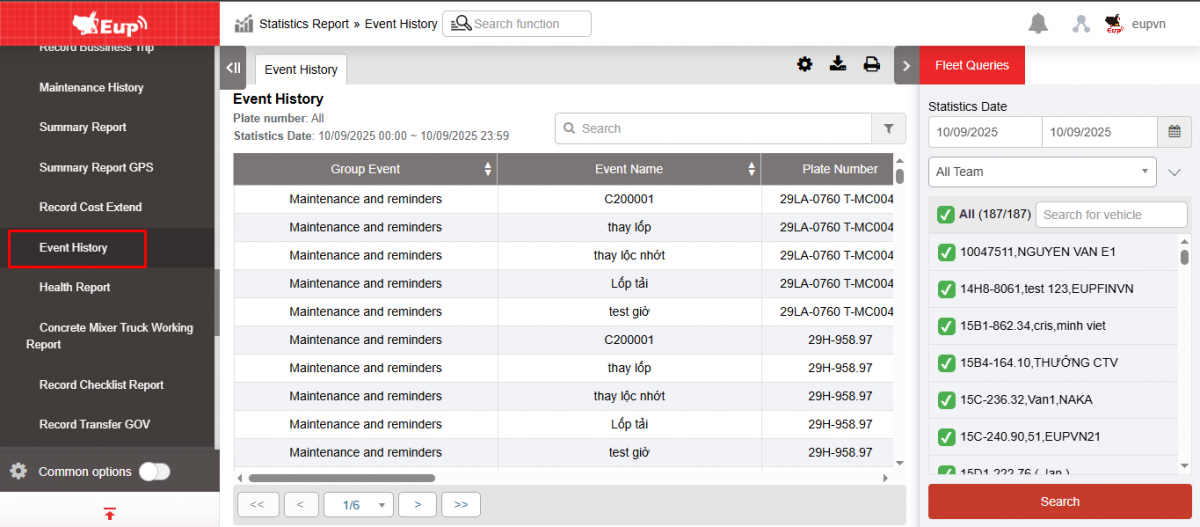
- The function display screen consists of 2 parts:
+ Fleet Queries section allows users to search for delivery orders within a period of time.
+ The Event History report section allows users to review the history of reminder and unusual events.
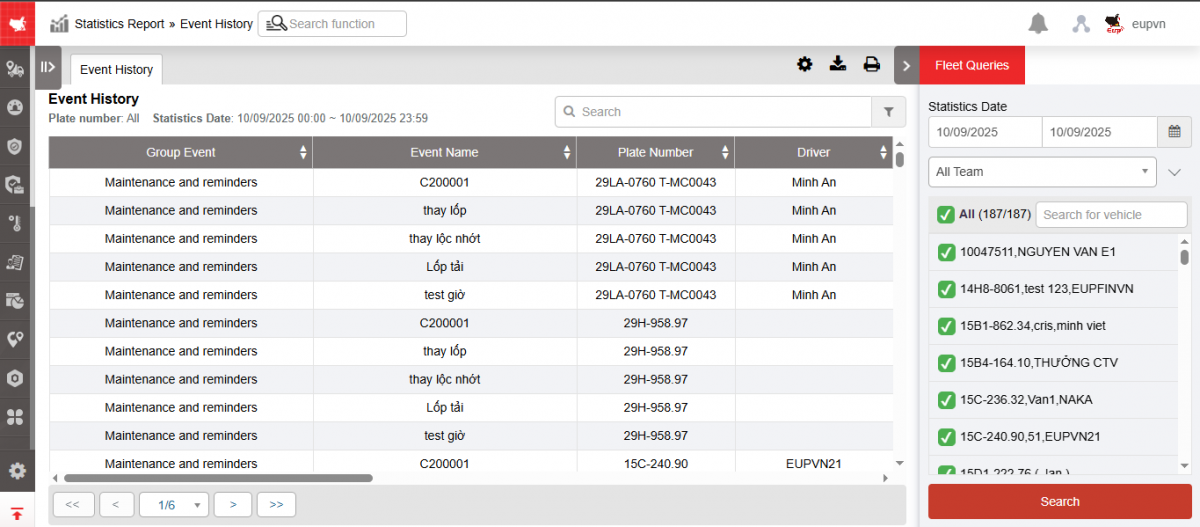
+ Fleet Queries section allows users to search for delivery orders within a period of time.
-
From: User selects the first date they want to search
-
To: User selects the last date they want to search
-
Fleet: Default display system, user can select the fleet to search
-
User selects the icon
 to select the license plate number they want to search for.
 -
Click Search to display search results
+ The Event History report section allows users to check the following information:
-
Group event
-
Event name
-
Plate number
-
Driver
-
Start Time: The time the warning started
-
End Time: Warning end time
-
Start Adress: Location where the violation began
-
End Adress: The location where the violation ended
-
Content
-
Status: Not Started, In Progress
+ Select the icon  to print the report
+ Select the icon  to download the report in excel format
+ Select the icon  to set the display or hide or change the sort order of the report columns,