



 Zoom to fit the screen
Abnormal temperature
Submitted by rd on Fri, 12/02/2022 - 14:171. Purpose
- Allows the user to check for abnormal vehicle temperature conditions within the search period specified by the user.
2. Implementation conditions
- The user is granted permission for the Abnormal temperature function on the CRM system.
3. Implementation instructions
- Navigate to the Abnormal Report»Abnormal temperatur menu.
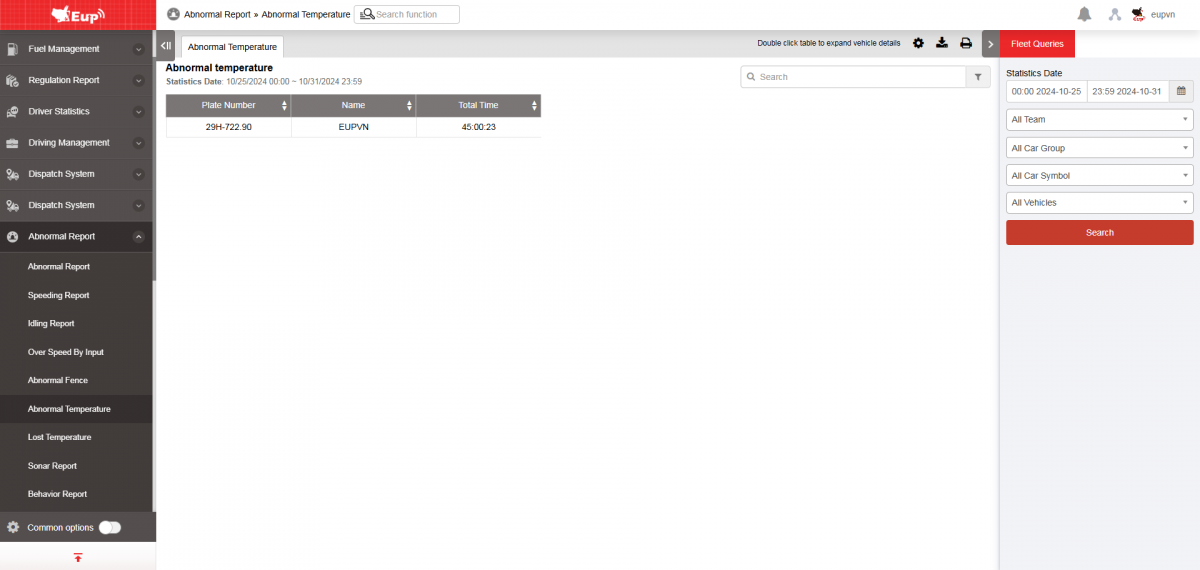
- The display function screen consists of 2 parts:
+ Fleet Queries section allows users to set up time parameters and vehicles to view the report.
+ Report details section display the time and location when the vehicle loses signal.
+ Fleet Queries section: the user selects the following information:
-
From: The user enters the first day to create the report;
-
To: The user selects the last day to create the report;
-
Select the icon
 to select the Team;
 -
In the vehicle list: Check the checkbox to select the vehicle to report;
-
Click Search button to display the report in the Report Details section.
+ Report details section: Display detailed report information.
-
Driver;
-
Plate number;
-
Total time: Total duration of the vehicle's signal loss based on the search period.
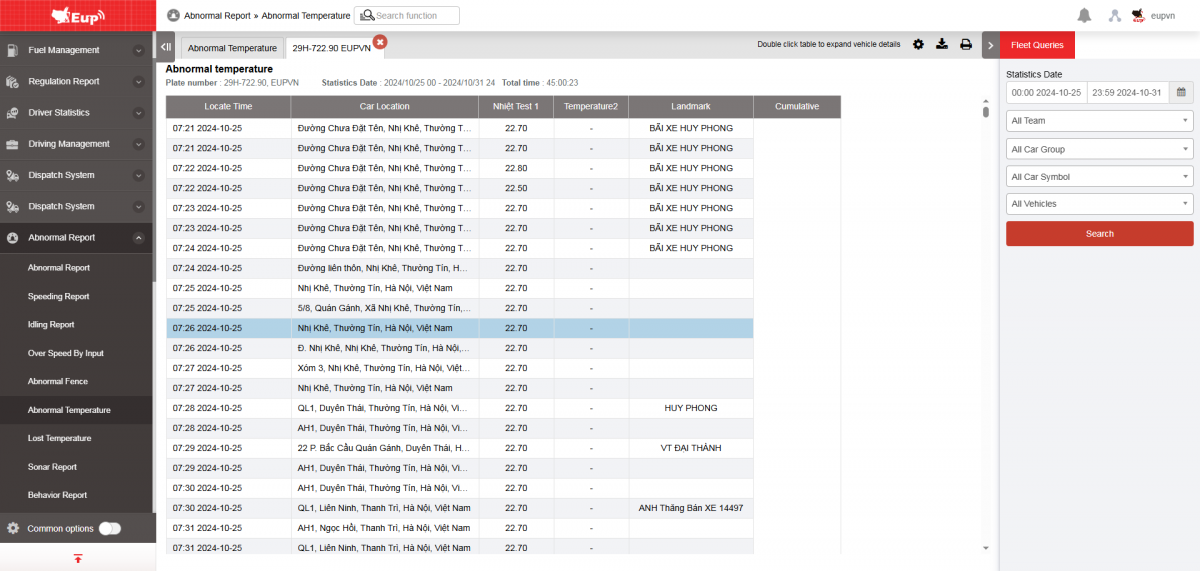
+ The user can select a row and click to view the detailed Abnormal Temperature report for the vehicle. The detailed screen after clicking is as follows
+ Select the icon  to print the report
+ Select the icon  to download the report as excel
+ Select the icon  to Custom Field, Plate number field settings, Print signature settings