



 Zoom to fit the screen
Toll Station Passing Report
Submitted by rd on Fri, 03/17/2023 - 10:171. Purpose
- Allows users to count road and bridge costs by day, by vehicle, and total amount, total kilometers, and number of times passing through the station during the search period.
2. Implementation conditions
Report through toll stationToll Station Passing Report on CRM system
3. Implementation instructions
- To display road tolls, it is necessary to set the vehicle type passing through the toll station. To set up, the user does the following:
1. Go to menu
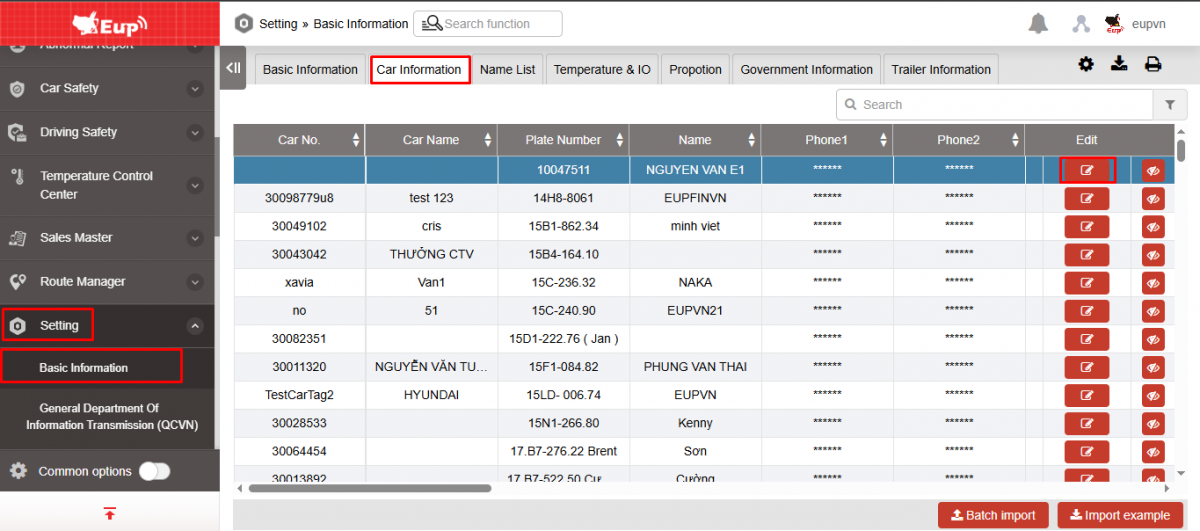
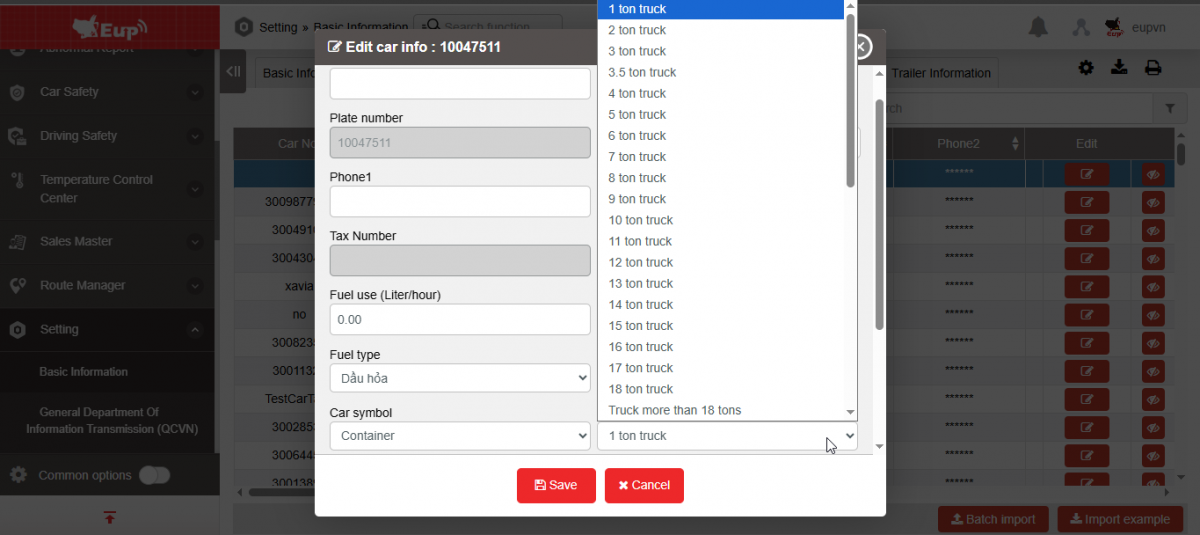
2. Display the Edit Vehicle Information screen , go to the Vehicle Type (Toll Station/Maximum Speed Management) field and select the corresponding vehicle type, then Save the settings information
- To view the report, go to the menu Search statistics/ Road toll report:
1. Go to the Search Statistics/Report via toll station menu
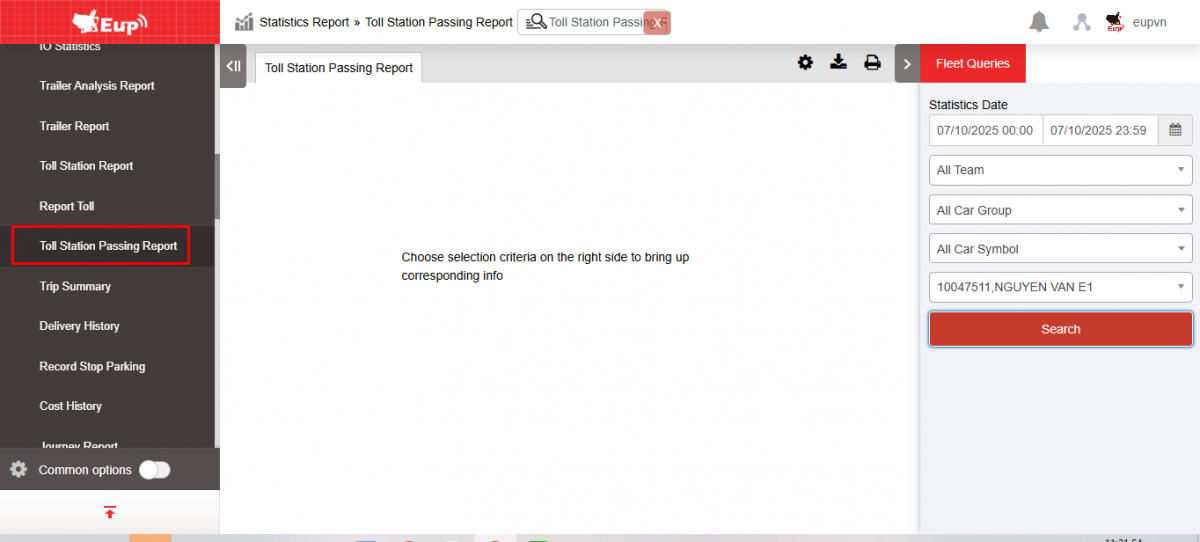
2. The function display screen consists of 2 parts:
+ The Fleet Information section allows users to select information about time and vehicles for statistical reporting;
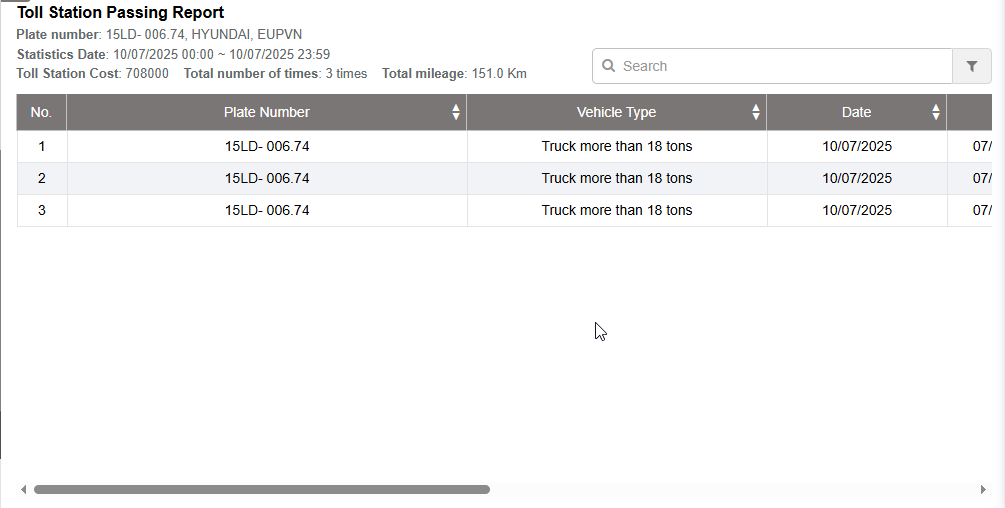
+ The Toll Station Passing Report section allows displaying statistics on the time to enter the toll station, the time to leave the toll station, the cost to pass the toll station, the total cost to pass the station, the total number of times to pass the station, and the total number of kilometers during the search period.

+ Fleet Information section : allows users to set up search information as follows:
-
From : Select the first date and time that the user wants to see
-
To : Select the last date and time that the user wants to see
-
Fleet: Default to the entire fleet and allows selecting other fleets in the system
-
Vehicle: Allows selecting vehicles using checkbox
-
Click Search to display results
+ The Toll Station Passing Report section displays information in 3 parts:
Part 1:

-
Plate number: License plate
-
Toll Station Cost: Total fare through station during search period
-
Total number of times: Total number of times entering and exiting the station
-
Total mileage: Total km of the vehicle during the search period (Including total km during the period when the vehicle did not pass through the station)
Part 2 :
-
Date : Date the vehicle enters and exits the toll station
-
Vehicle type: Date and time of report lookup
-
Start time : Time when the vehicle begins entering the toll station
-
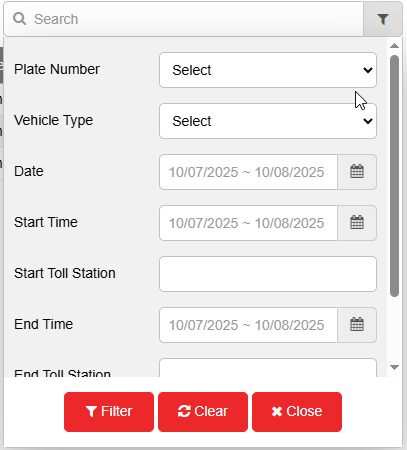
Start/End Toll Station: Toll station name
-
End time : Time the vehicle leaves the toll station
-
Cost : Amount to be paid when passing through the toll station
-
Note : For stations that have not been configured for cost, there will be a note Price Not Determined
Part 3: Select the Filter function  to filter the data you want to view:
+ Select the icon  to print the report
+ Select the icon  to download the report in excel format
+ Select icons  to customize display columns, customize license plates on reports and set up printing signatures