



 Zoom to fit the screen
Report without card swipe
Submitted by rd on Mon, 08/26/2024 - 17:131. Purpose
- Allows statistics on start and end times, number of kilometers of vehicle runs (vehicle runs have kilometers) but no card is swiped
2. Implementation conditions
- Customers are assigned option VN58C
3. Implementation instructions
-. To view the report, follow these steps:
Step 1: Go to the Statistics report/Report without card swipe
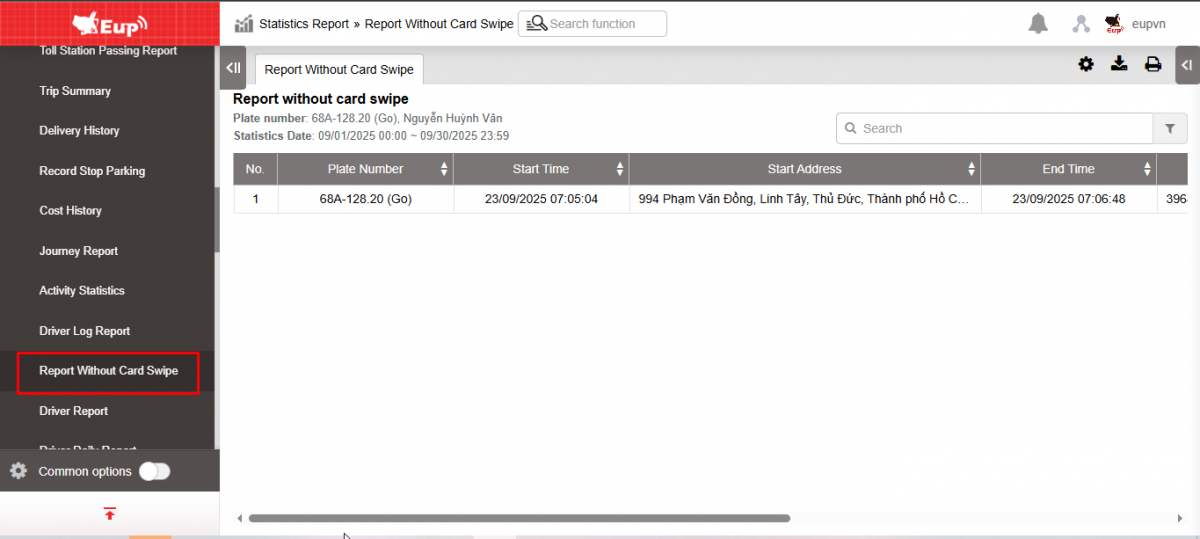
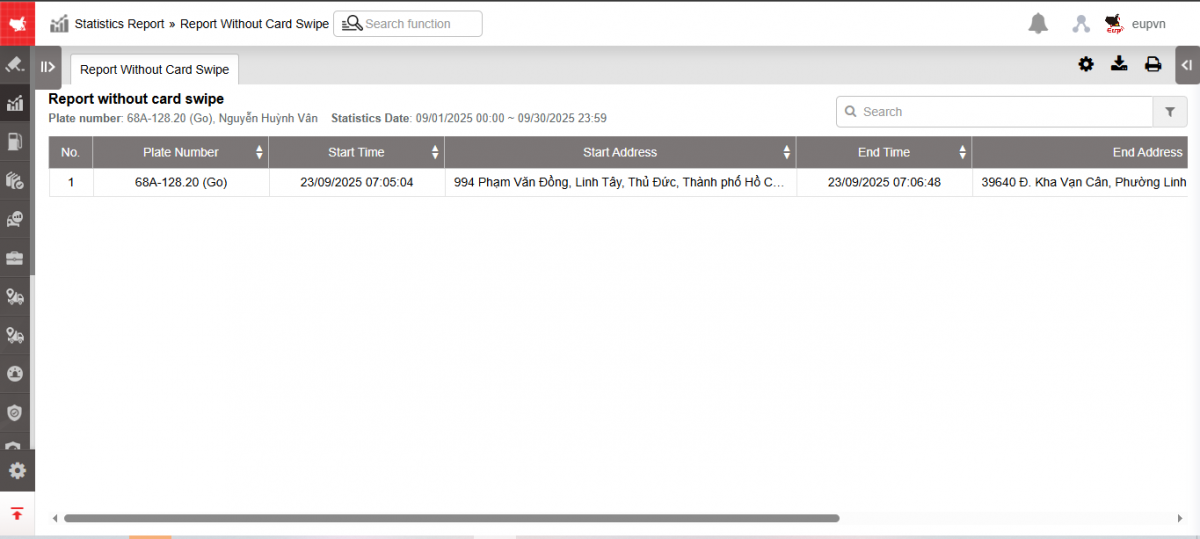
Step 2: The function display screen consists of 2 parts:
+ Fleet Queries section : allows users to select search parameters;
+ Report without card swipe section : displays detailed information about card swipe failures
+ Fleet Queries section : Users can choose as follows
-
From : Select the first date you want to look up the report
-
To : Select the last date you want to look up the report
-
Fleet : Default is All fleet. Select the icon
 to select the fleet
 -
Vehicle : User selects checkbox to select vehicle to view
-
Click Search to display search results
-
KM traveled > ... km : Enter the number of km to filter trips with km greater than the entered parameter
+ The Report without card swipe section includes information
-
Plate number : The license plate number that the driver will operate when swiping the card.
-
Start time : Time the car starts running (car is in green status) but the card is not swiped
-
Start address: The location where the vehicle starts running and does not swipe the card
-
End time : Time when the vehicle finishes running (vehicle is in green status) but the card is not swiped
-
End address: The location where the vehicle ends and the card is not swiped
-
Total mileage : Displays the number of kilometers the vehicle has traveled during the period of time the vehicle was running but not swiping.
-
Total time: Total time the vehicle was running without swiping the card
+ Select the icon  to print the report
+ Select the icon  to download the report in excel format
+ Select icons  to customize display columns, customize license plates on reports and set up printing signatures