



 Zoom to fit the screen
Delivery history
Submitted by rd on Fri, 12/02/2022 - 14:431. Purpose
- Allows users to count vehicles violating parking time limits when delivering goods
2. Implementation conditions
- Users are authorized to view delivery history on the CRM system.
3. Implementation instructions
- Go to menu Statistics report/ Delivery history
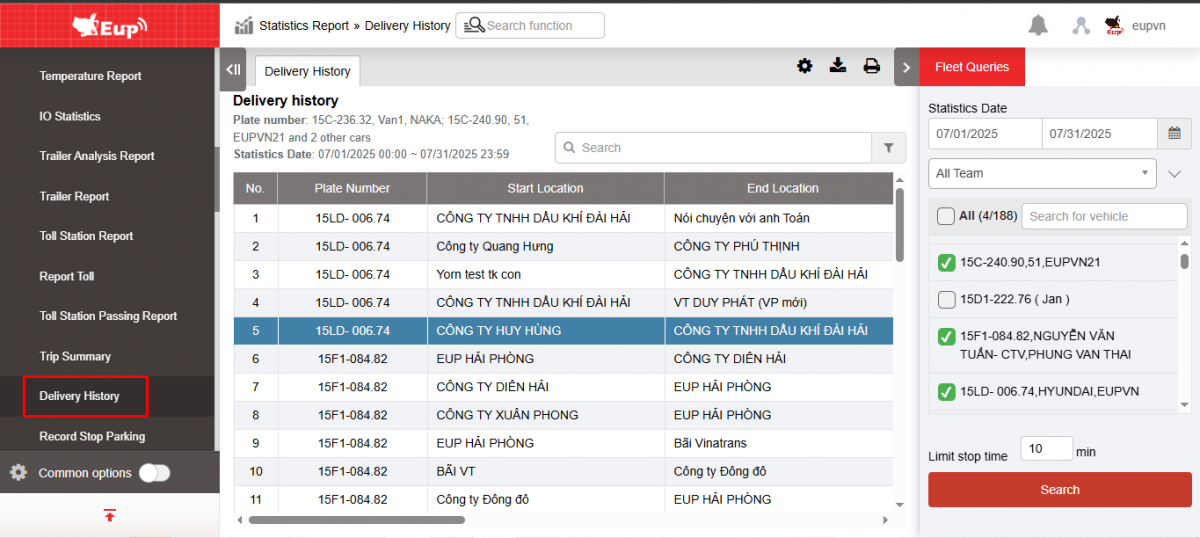
- The function display screen consists of 2 parts:
+ The Fleet Queries section allows setting up criteria for time, vehicle, and limited parking time;
+ Delivery History section displays a list of vehicles that violated parking time.
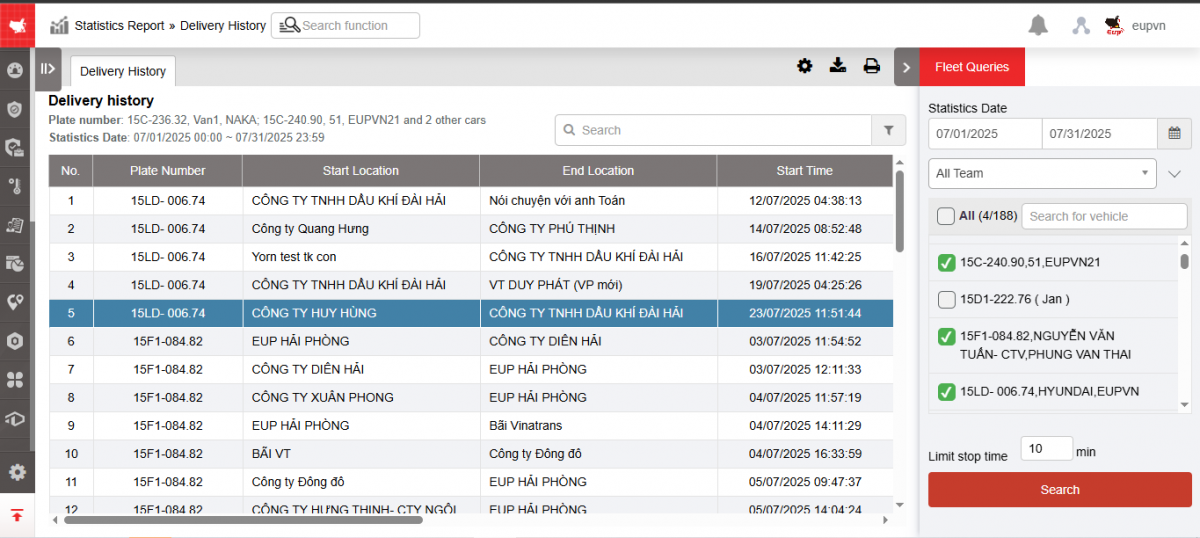
+ Fleet Information section : User selects the following information:
-
From : The first day the user wants to check the delivery history
-
To : Last date the user wants to check the delivery history
-
Entire fleet: Default, and allows selection to individual fleets
-
Vehicle list : You can select all or a specific vehicle.
-
Limited parking time: Allows user to set parking limit of 1 vehicle, the display result will show vehicles with parking time greater than the limited parking time
-
Click Search to display information
+ The Delivery History section displays information including:
-
Plate number
-
Start Time: The time the vehicle begins moving at the starting position
-
End time : Time the vehicle arrives at the end location
-
Start location: The milestone where the vehicle starts moving
-
End location: The milestone where the vehicle ends its move
-
Driving time : Time taken by the vehicle (in running condition) from the starting position to the ending position
-
Time at the station : Time of vehicle stopping, displays vehicles whose time in station exceeds the limited stopping time
-
Total mileage: Distance from starting point to ending point
-
Toll station: List of toll stations a trip has passed through
-
Counts of in and out: Number of times a vehicle enters and exits a toll station
-
Cost: Cost to pay when passing through toll station
+ Select the icon  to print the report
+ Select the icon  to download the report in excel format
+ Select icons  to customize display columns, customize license plates on reports and set up printing signatures