



 Zoom to fit the screen
Summary Report
Submitted by rd on Thu, 12/01/2022 - 16:551. Purpose
- Support users in generating driver attendance reports for a specified period to facilitate the management and monitoring of driver attendance for the enterprise.
2. Implementation conditions
- Users are authorized to perform the function of Summary Report
3. Implementation instructions
- Go to the Regulation Report/Driver total time report.

 - The display function screen consists of 2 parts:
+ Fleet Queries section allows users to set up time parameters and vehicles to view the report;
+ Report details section display detailed search information.

+ Fleet Queries section: the user selects the following information:
-
From: The user enters the first day to create the report;
-
To: The user selects the last day to create the report;
-
Select the icon
 to select the Team;
 -
Click Search button to display the report in the Report Details section.
+ Report details section: Display detailed report information.
-
Time: The current time when the vehicle's signal is received at a specific address.
-
Landmark: The milestone name corresponding to the address.
-
Address: The specific address of the vehicle.
-
Mileage (km): The distance the vehicle has traveled from point A to point B.
-
Duration: The time taken for the vehicle to travel from point A to point B.
-
Status: The final status of the vehicle before moving to a new location.
-
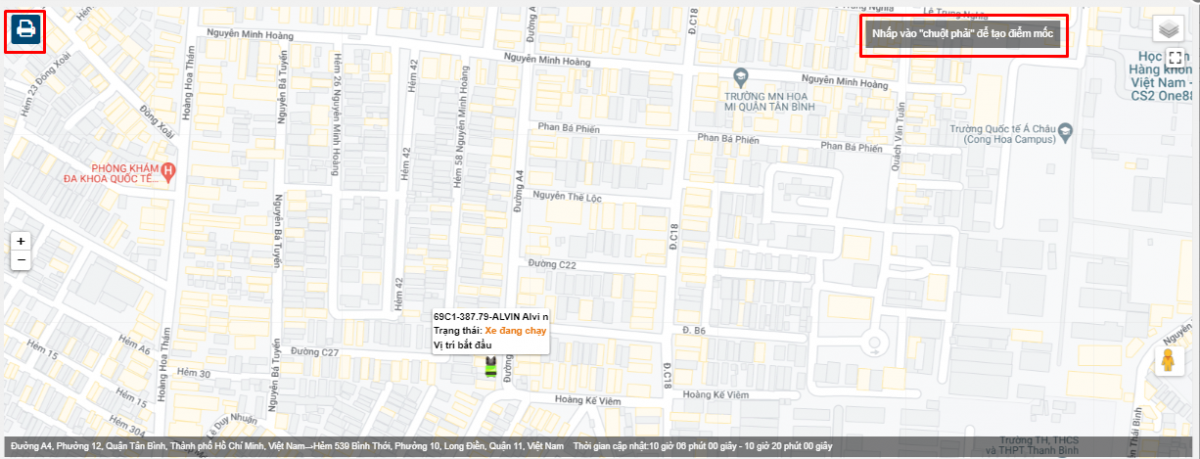
Users can click on each row to view a detailed map: Right-click to create a milestone, and click the Print icon to print the map.
-
Chi tiết từng trạng thái hoạt động của xe

+ Select the icon  to print the report
+ Select the icon  to download the report as excel
+ Select the icon  to Custom Field, Plate number field settings, Print signature settings