Record Bussiness Trip
1. Purpose
- Allows users to check how much time it takes and how much fuel is consumed during a business trip. From there, it is possible to evaluate compliance with the route and determine the cost of the business trip.
2. Implementation conditions
- User has an account to access the journey monitoring system
3. Implementation instructions
- Go to menu Statistics report/ Record Bussiness Trip
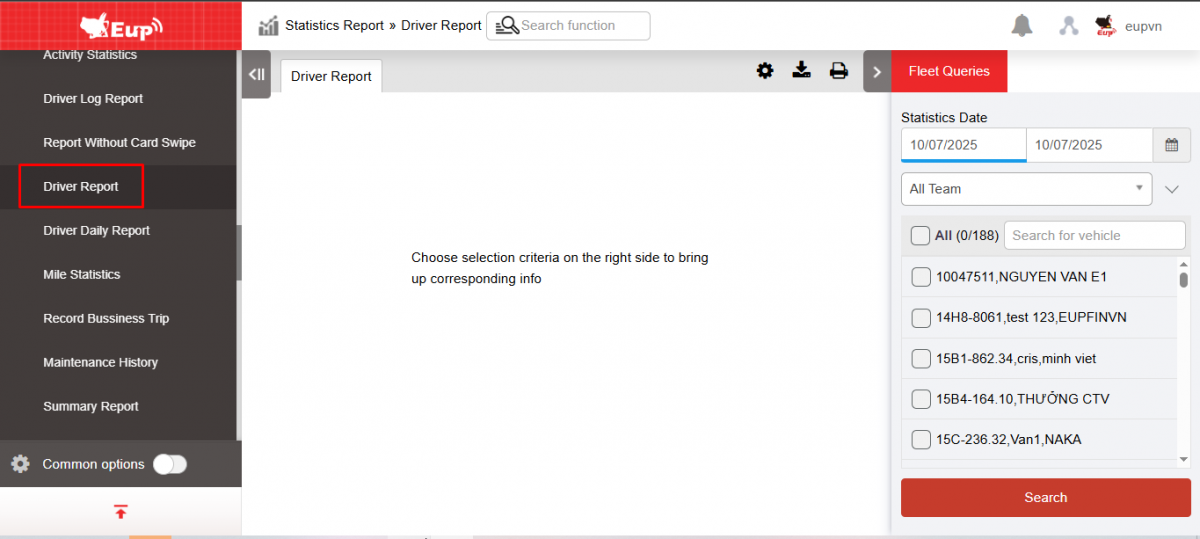
- The function display screen consists of 2 parts:
+ The Fleet Queries section allows users to set up report query conditions;
+ Record Bussiness Trip section
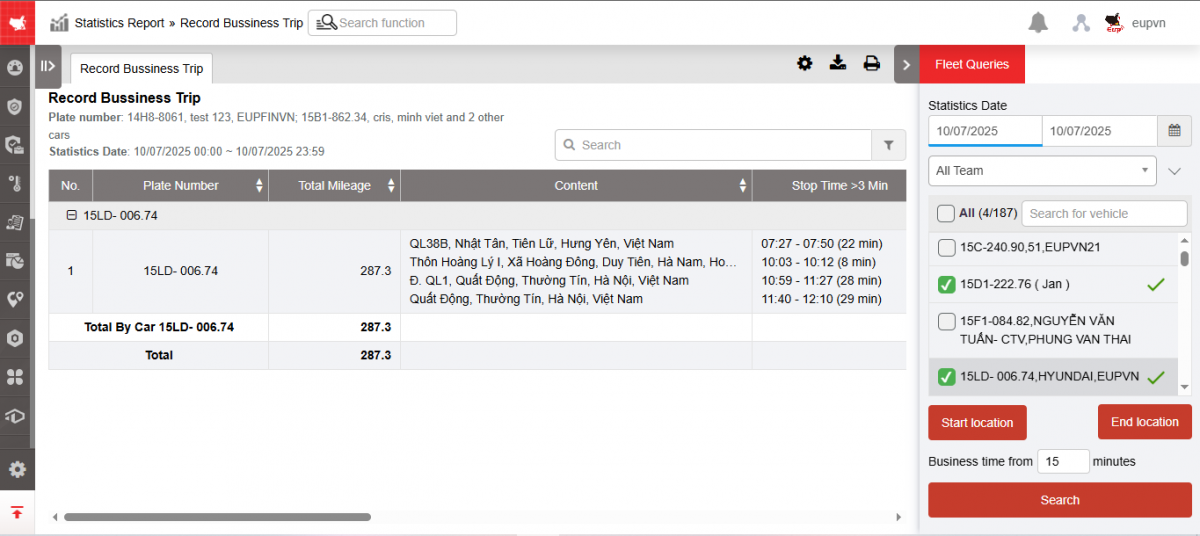
+ Fleet Queries section : Includes information
-
From date, to date : User enters the first date and last date to view the report. Allows user to view the report for a maximum of 1 month.
-
Fleet : Default is entire fleet, allowing users to select other fleets in the system
-
Vehicles: Users can select all or each vehicle in the checkboxes.
-
Start position: Is a list of milestones created by the user in the system in the milestone creation function. Allows viewing the report by starting position. If not selected, the report will display by default all starting points if there is a business trip.
-
Ending location : Is a list of milestones created by the user in the system in the milestone creation function. Allows viewing reports by ending location. If not selected, the report will display by default all ending points if there is a business trip.
Note : The default report takes the starting position and ending position according to the milestone. If the user account is assigned the VN43C option, it takes the position according to the limited area.
-
Min Km, Max Km : The report only shows business trips with Km within the Min Km and Max Km range
-
NSD selects Search to display results
+ Business trip report section : Displays information including
-
License plate number
-
Starting Position : Starting position of the business trip
-
Ending Location : The ending location of the business trip
-
Start time : Time the vehicle leaves the starting position
-
End time : Time the vehicle arrives at the end point
-
Operating time: Is the time the vehicle travels from the starting position to the ending position
-
Number of Km: Distance from start location to end location
-
Fuel Consumption : Actual number of liters of fuel the vehicle uses to travel from starting position to ending position
-
Fuel consumption : Number of kilometers the vehicle can travel when consuming 1 liter of fuel that the user has set in the Settings/General Information section
-
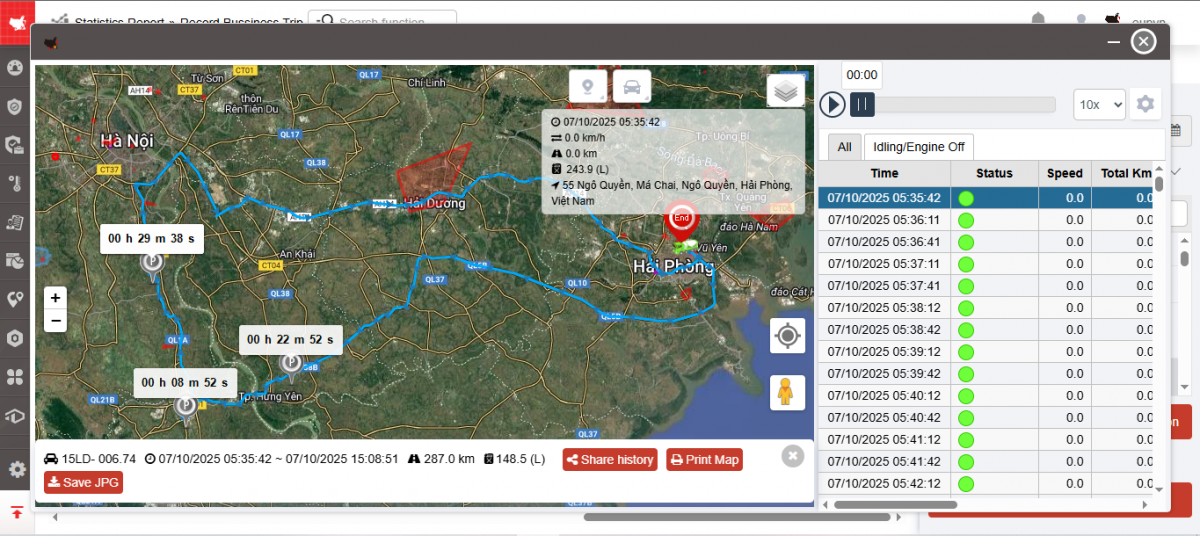
Route : Allows users to review the vehicle's route during a business trip on the map.
+ Select the icon  to print the report
+ Select the icon  to download the report in excel format
+ Select icons  to customize display columns, customize license plates on reports and set up printing signatures
- Log in to post comments
- Tiếng Việt
- 繁體中文