Customer Management
1. Purpose
- Allows users to manage customer lists and save familiar delivery address information to support delivery order creation.
2. Implementation conditions
- The user is granted permission for the Customer Management function on the CRM system.
3. Implementation instructions
- Go to the menu Dispatch System»Customer Management.

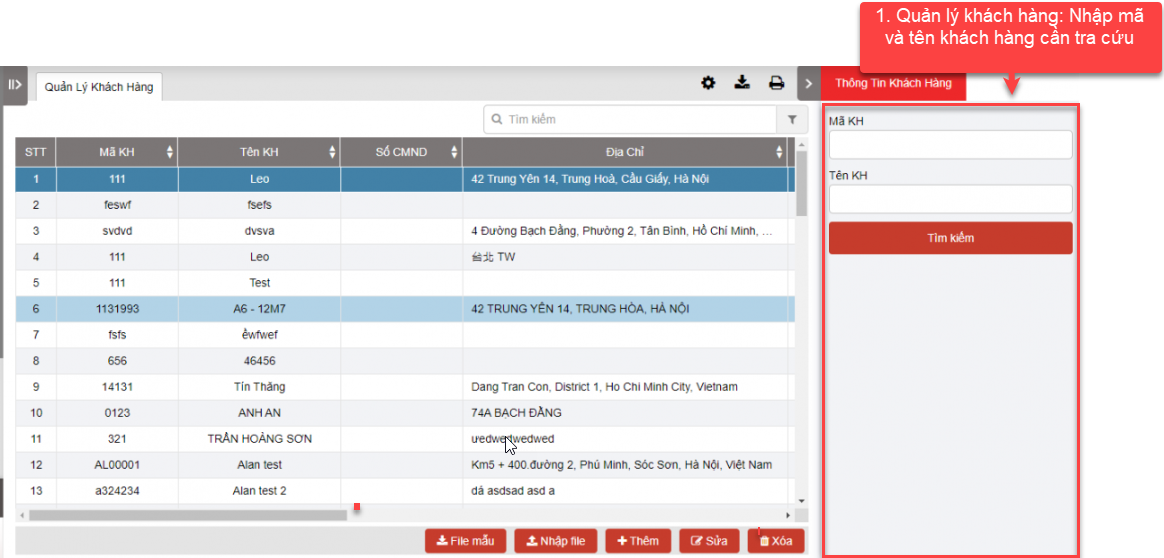
- The display function screen consists of 3 parts:
+ Customer Management displays all customers saved in the system;
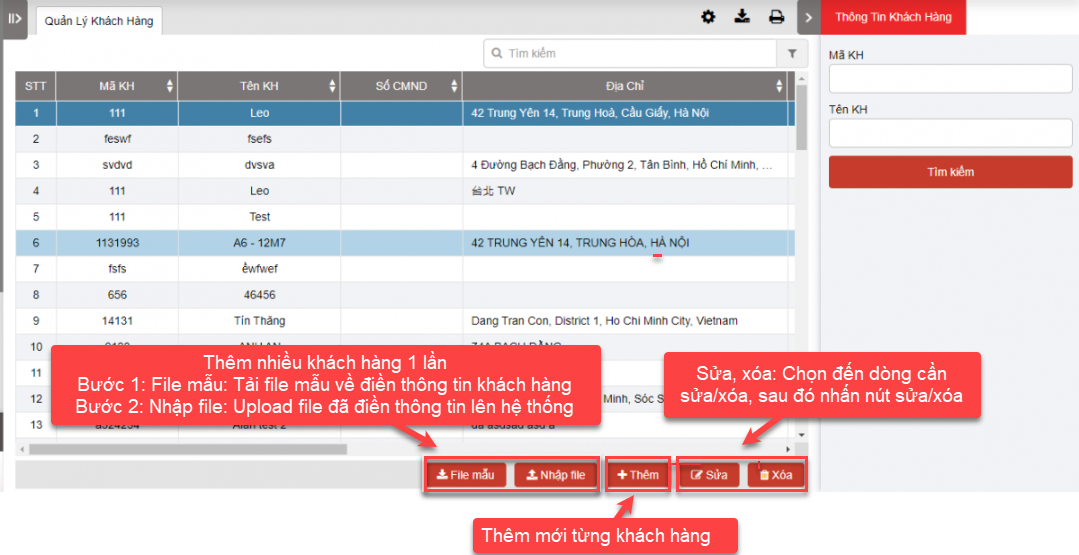
+ Import Example, Batch import, Add, edit, delete customer information;
+ Customer Queries
 + Customer Management: allows users to search for customers by Customer Code or Customer Name. If the user does not enter the Customer Code and Customer Name, the application will search the entire customer list on the system by default.
 + Import Example, Batch import, Add, edit, delete
-
Add customer list in 2 ways:
+ Add many customers at once
+ Add each customer
- Add many customers at once in 2 steps:
-
Step 1: User selects the sample file to support user to download the sample file to enter new customers according to the list. When clicking on the sample file, the application supports the file according to the sample as follows:
-
Step 2: After entering the customer list according to the downloaded sample file, the user selects Import file. The application allows the user to select the customer file to import. After importing the file, the application will notify the user accordingly.
-

-
Add User selects Add to add new customer to the system. The new customer input form displays as follows:
-
User fills in all information on the input form and presses Add to complete adding new customer
-
Press Cancel to cancel adding new customer
-
-
To delete a customer from the list, User selects the line to be deleted and presses Delete
-
In case the customer information changes or the User enters incorrect customer information, User selects Edit to the line that the customer needs to edit to edit the information
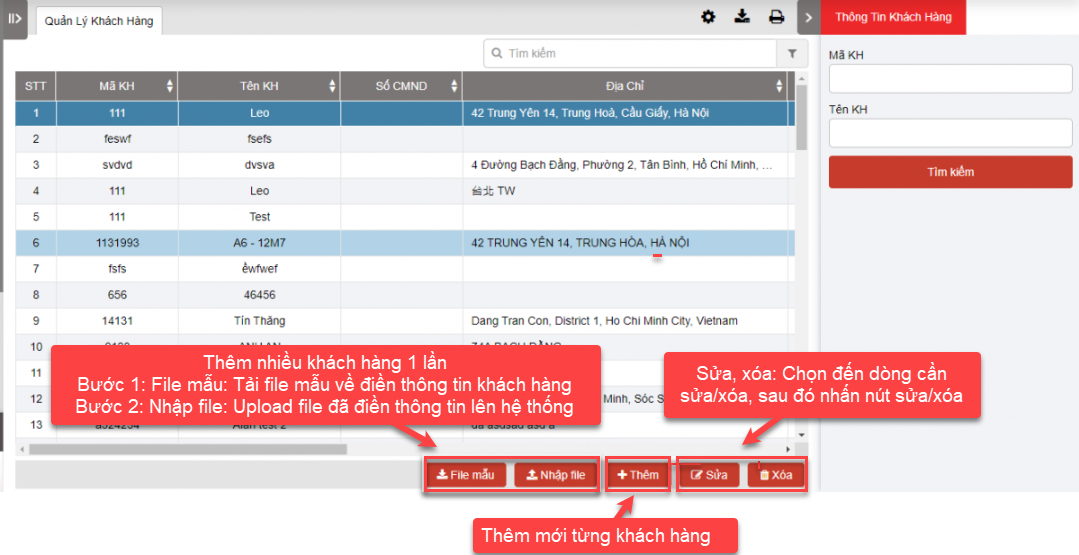
+ Customer Management: When entering the customer management function, the system will display the entire list of customers in the system and customer information such as Customer code, name, phone number, address... entered in the new customer addition form.
+ Select the icon  to print the report
+ Select the icon  to download the report as excel
+ Select the icon  to Custom Field, Plate number field settings, Print signature settings
- Log in to post comments
- Tiếng Việt
- 繁體中文