Dispatch History
1. Purpose
- Allows users to track delivery order status, vehicle arrival time, and provides map support so users have a visual view of delivery landmarks.
2. Implementation conditions
- The user is granted permission for the Dispatch History function on the CRM system.
3. Implementation instructions
- Go to the menu Dispatch System»Dispatch History.
1. Search section allows users to search for delivery orders within a time period
2. Map section displays delivery milestones;
3. Delivery Order Status section allows users to view detailed delivery order status.
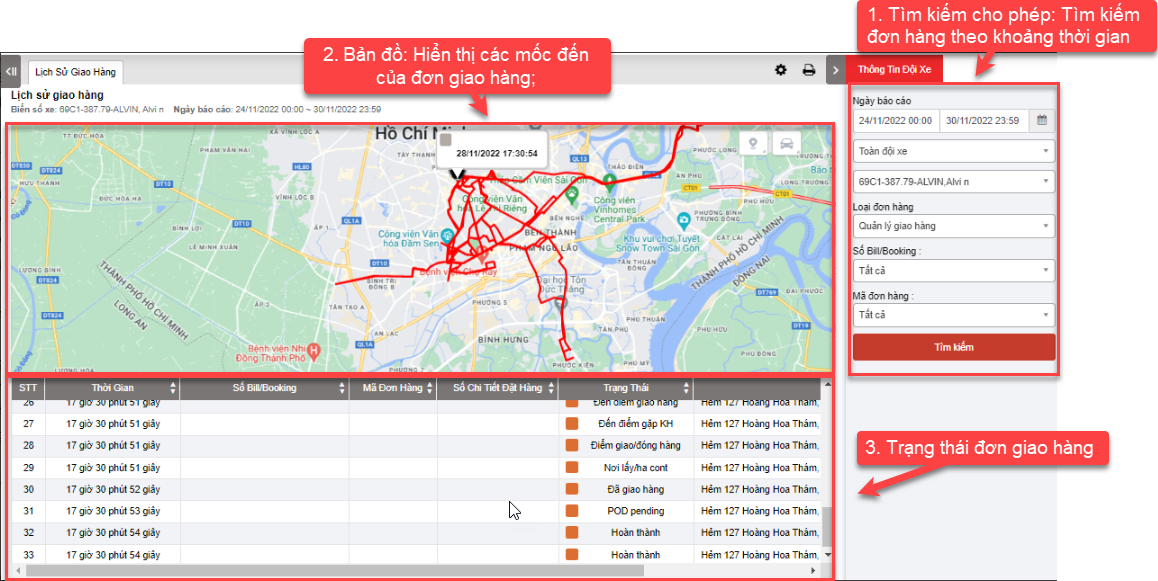
+ Search section: User can search for delivery orders by vehicle within the time period from, to:
-
Team: Default display system, user can select the fleet to search
-
Select the icon
 to select the license plate number you want to search
 -
From: User selects the first day they want to search for delivery orders
-
To: User selects the last day they want to search for orders
-
Order Type
-
Số bill/ Booking
-
Mã đơn hàng
-
Click Search button to display the report
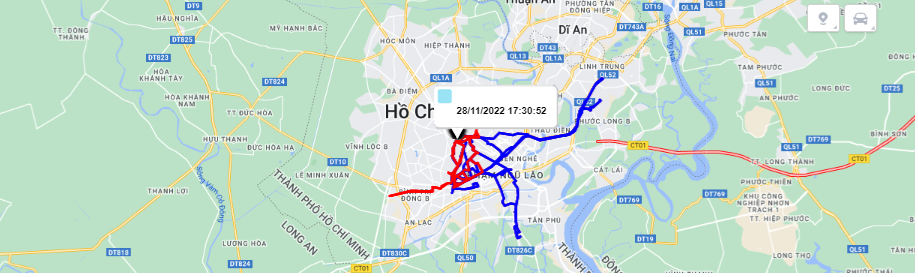
+ Map section: shows the vehicle's route and delivery destination.
+ Delivery Order Status Section: After the user searches for a delivery order, the results will be displayed here. Including the following specific information:
-
Time
-
Số Bill/ Booking
-
Mã đơn hàng
-
Số chi tiết đặt hàng
-
Status
-
Address
+ Select the icon  to print the report
+ Select the icon  to Custom Field, Plate number field settings, Print signature settings
- Log in to post comments
- Tiếng Việt
- 繁體中文