Health report
1. Purpose
- This function allows statistical reporting of alcohol concentration measurements of each driver (only applicable to drivers with alcohol concentration measurements).
2. Implementation conditions
- Users are authorized according to option: 4K.
3. Implementation instructions
- Go to menu Statistic report/Health report
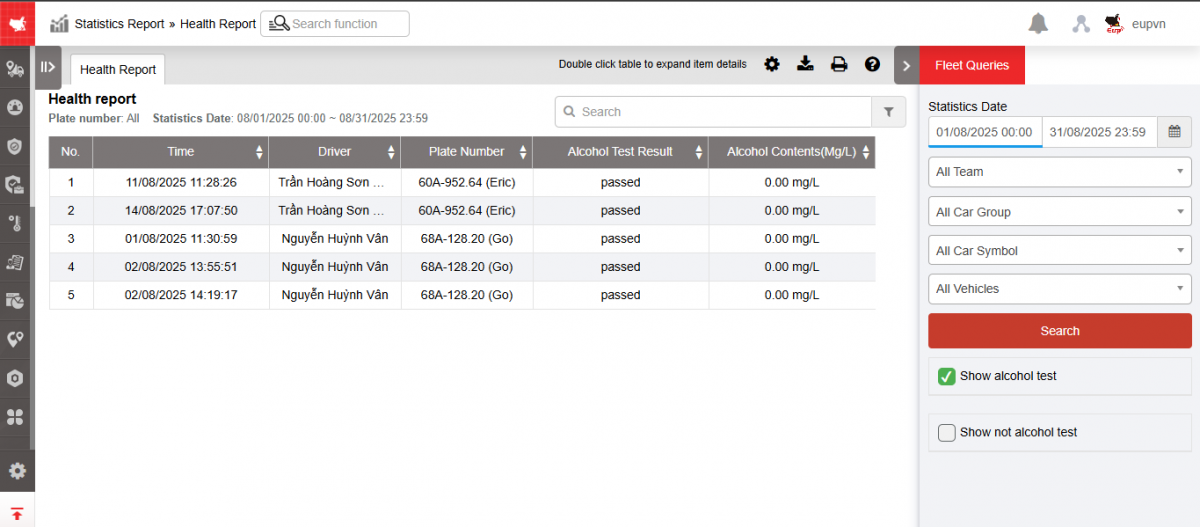
- The function screen consists of 2 parts:
+ Fleet Queries section allows users to select fleet, driver and time period to report
+ Health report
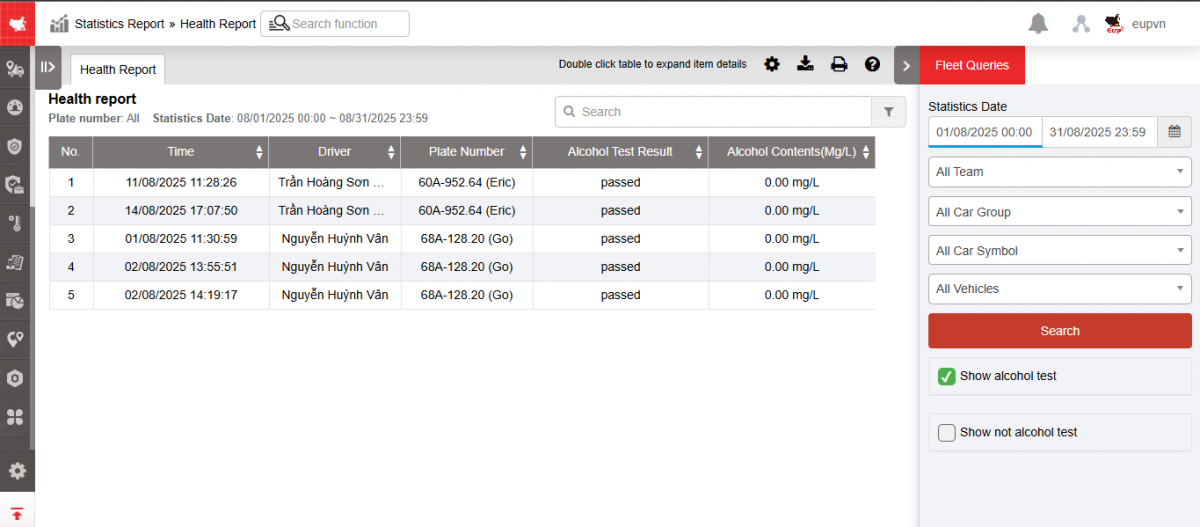
+ Fleet Queries section : Includes the following information:
-
Whole fleet : User can press button
 to select fleet according to report request;
 -
All drivers: User can press button
to select report by driver name; -
From: User selects the first day to report;
-
To: User selects the last date to report.
-
Checkbox Show alcohol test
-
Checkbox Show not alcohol test
+ Detailed Report section : Displays alcohol concentration measurements along with corresponding driver information. Includes information:
-
Time : Date and time the driver measured alcohol concentration;
-
Driver;
-
Plate number;
-
Alcohol Test Result: Displays the driver's alcohol concentration measurement result;
-
Alcohol contents(mg/L): Displays the driver's alcohol concentration % when measuring alcohol concentration;
-
Select the icon
 to print the report
 -
Select the icon
 to download the report as excel
 -
Select icons
 to customize display columns, customize license plates on reports, and set up printing signatures
 -
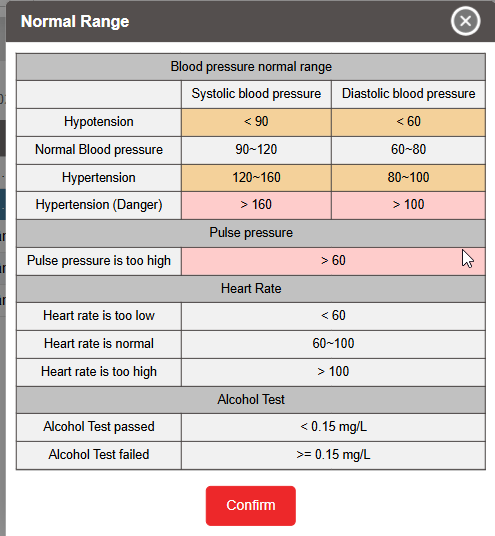
Select the icon
 to view the Standard Table of Indicators
- Log in to post comments
- Tiếng Việt
- 繁體中文