Mile statistics
1. Purpose
- Supports daily vehicle mileage statistics, from which reports on vehicle mileage during the month are available.
2. Implementation conditions
- Customers are authorized to perform the function of Mile statistics on the system.
3. Implementation instructions
Step 1: Go to Statistics report/Mile statistics
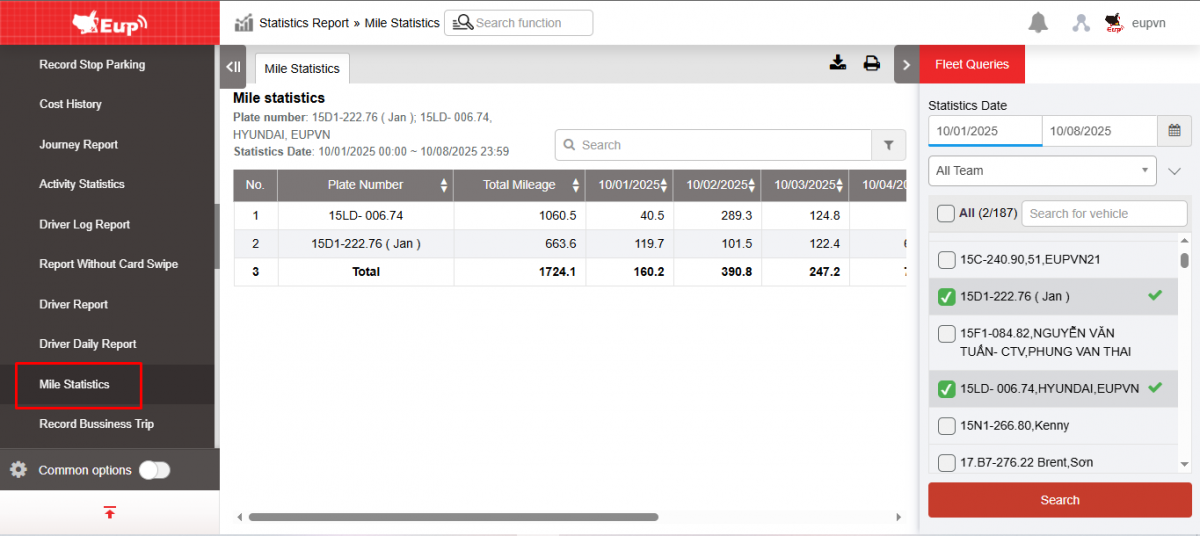
Step 2: The function display screen consists of 2 parts:
+ Fleet queries section : allows users to select search parameters
+ Report section : displays detailed vehicle mileage parameters for each day
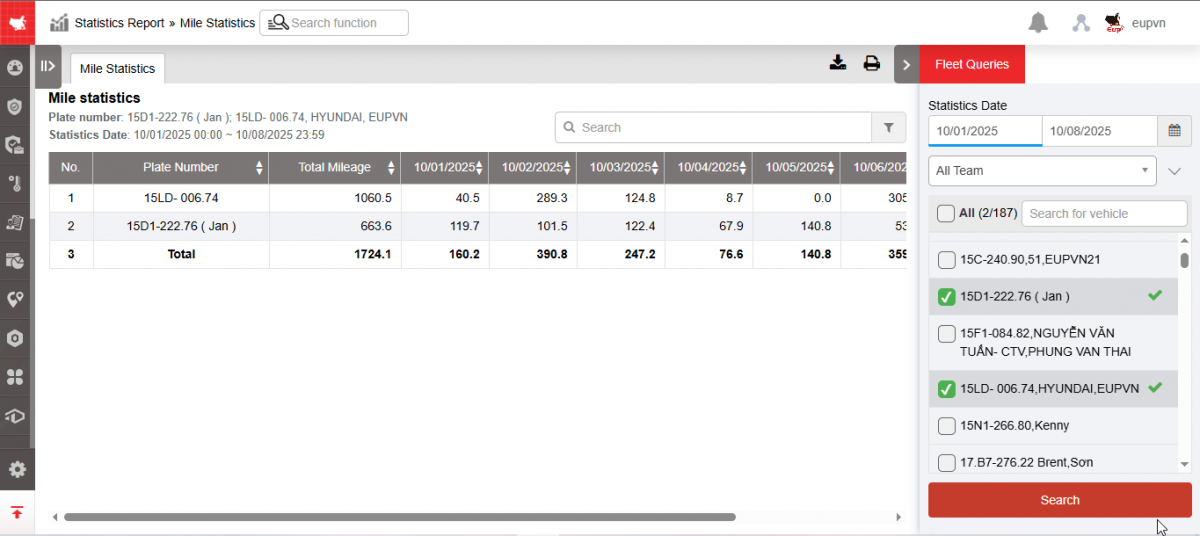
+ Fleet queries section : Includes information
-
From : Select the first date you want to look up the report
-
To : Select the last date you want to look up the report
-
Fleet : Default is All fleet. Select the icon
 to select the fleet. Fleet is the list of sub-accounts that have been set up in Settings/Permissions
 -
Vehicle : User selects checkbox to select vehicle to view
-
Click Search to display results
+ The Report section includes
-
Plate number :
-
Total KM: Total KM the vehicle traveled in the month
-
01...31: Number of kilometers the vehicle travels each day of the month
-
Select the icon
 to print the report
 -
Select the icon
 to download the report as excel
 -
Select icons
 to customize display columns, customize license plates on reports, and set up printing signatures
- Log in to post comments
- Tiếng Việt
- 繁體中文