Journey report
1. Purpose
- Allows users to check journey reports on driving time, stopping/parking time, engine stopping time, distance, speed, fuel consumption of each vehicle, fleet or all vehicles in the system within a certain period of time.
2. Implementation conditions
- User is authorized to use option VN38
3. Implementation instructions
Step 1: Go to menu Statistics report/Journey report
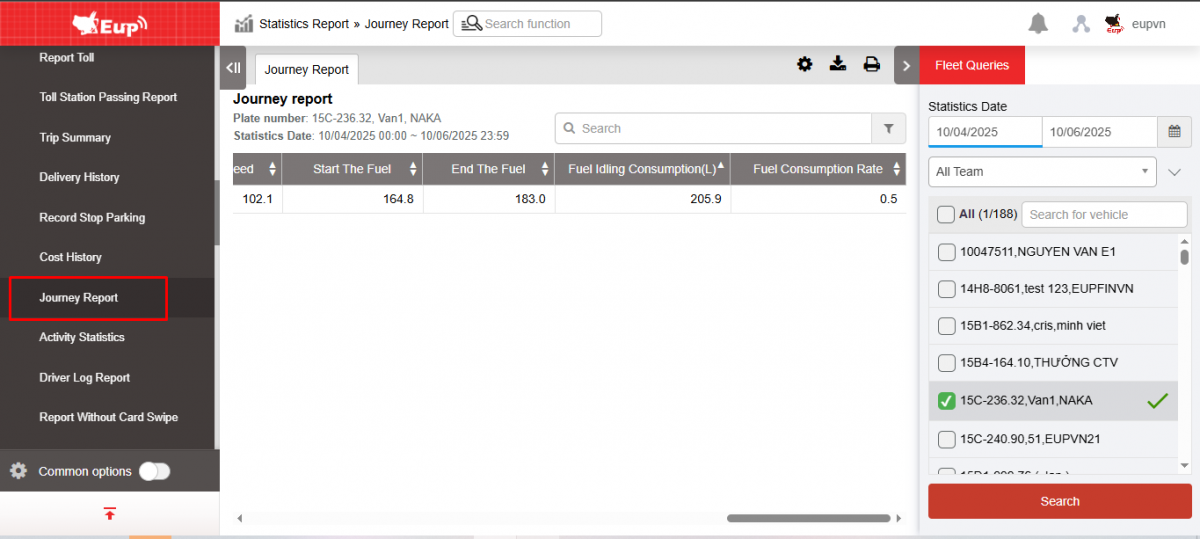
Step 2: The function display screen consists of 2 parts:
+ Fleet Queries section allows users to set up information about time and vehicle to check trip reports
+ The Journey Report section displays search results according to query parameters.
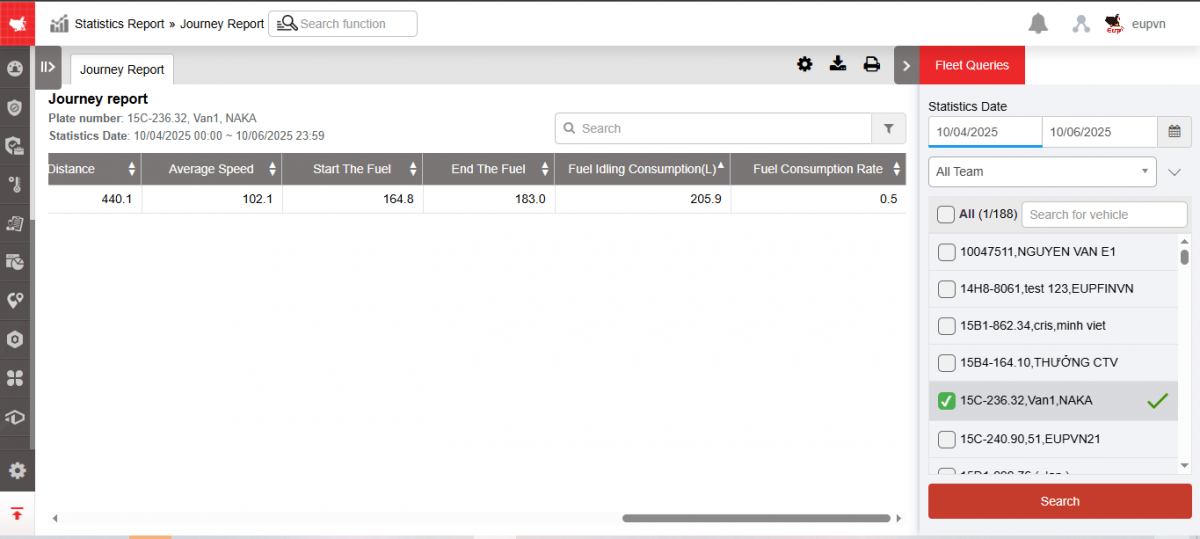
+ Fleet Queries section : Includes information
-
From, To : User enters the first and last date for which he wants to view the expense history.
-
Fleet : Default is entire fleet, allows selecting vehicles by fleet
-
Vehicle: User selects checkbox to select vehicle to view cost history as desired
-
Search : User selects search to display results
+ The Journey Report section displays information including:
-
late number
-
Start: Starting position
-
End: End position
-
Start point: The time the vehicle begins moving at the starting position
-
End point: Time the vehicle arrives at the end location
-
Time accumulation Total operating time
-
Driving time: Time taken by the vehicle to travel from start position to end position
-
Stop Time: Time the vehicle stops at the place with the key turned off
-
Idling Time the car stops in place with the key on and the engine running
-
Distance: Distance traveled from starting position to ending position
-
Average speed: Average speed of the vehicle from start to finish point
-
Start the fuel: Number of liters of oil at the beginning of the day
-
End the fuel: Number of liters of oil at the end of the day
-
Fuel idling consumption: Number of liters of oil consumed = Final fuel - Initial fuel
-
Fuel consumption rate: L/km rate
+ Select the icon  to print the report
+ Select the icon  to download the report in excel format
+ Select icons  to customize display columns, customize license plates on reports and set up printing signatures
- Log in to post comments
- Tiếng Việt
- 繁體中文