Trip Summary
1. Purpose
- Allows users to summarize activities on total kilometers, operating time, and vehicle stops without turning off the engine within a certain period of time.
2. Implementation conditions
- Users are authorized to summarize the journey on the CRM system.
3. Implementation instructions
1. Go to the Search Statistics/ Trip Summary menu
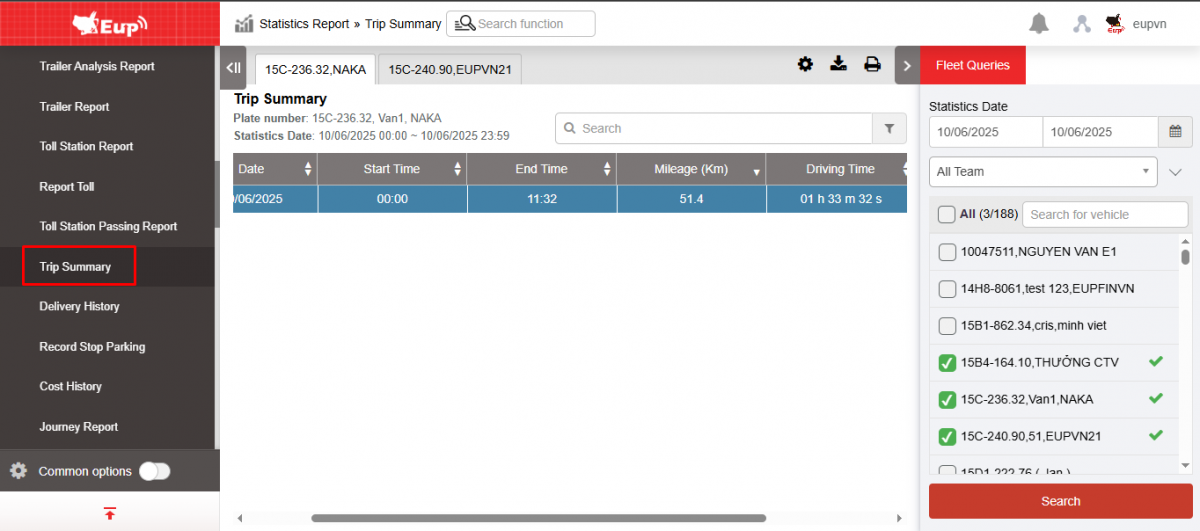
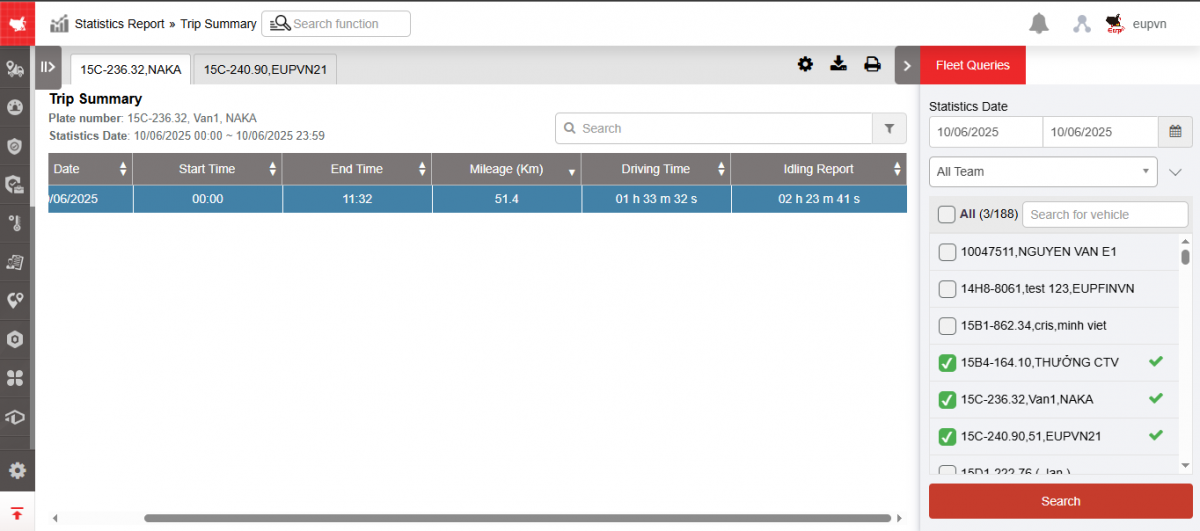
2. The function display screen consists of 2 parts:
+ The Fleet Queries section allows users to select information about time and vehicles for statistical reporting;
+ The Trip Summary section allows displaying statistics on the start time, end time, number of kilometers, operating time, and vehicle stopping time without turning off the engine during the lookup period.
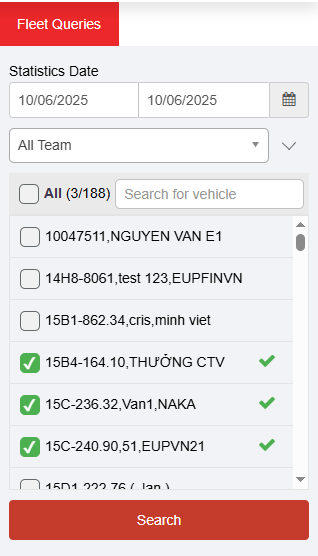
+ Fleet Queries section : allows users to set up search information as follows:
-
From : Select the first date and time that the user wants to see
-
To : Select the last date and time that the user wants to see
-
Fleet: Default to the entire fleet and allows selecting other fleets in the system
-
Vehicles: Allows selection of one, multiple or all vehicles using checkbox
-
Click Search to display results
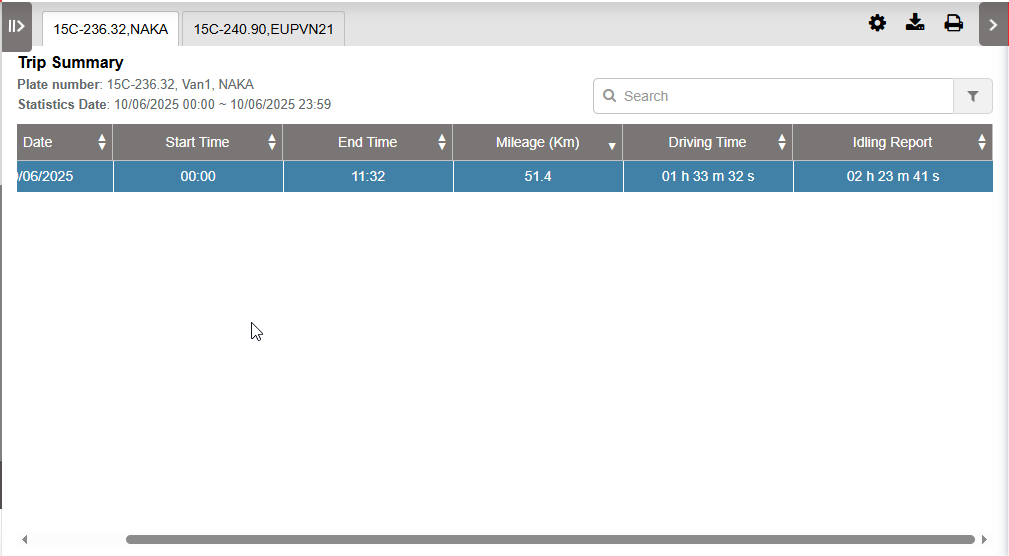
+ The Trip Summary section displays information including:
-
STT
-
Date
-
Start Time : Time the vehicle starts operating
-
End Time : The time the vehicle ends its operation
-
Mileage (km): Number of kilometers traveled during the period of operation
-
Driving time: Vehicle running time
-
Idling report
+ Select the icon  to print the report
+ Select the icon  to download the report in excel format
+ Select icons  to customize display columns, customize license plates on reports and set up printing signatures
- Log in to post comments
- Tiếng Việt
- 繁體中文