Toll Station Report
1. Purpose
- Allows users to count the number of times vehicles pass through toll stations within a certain period of time.
2. Implementation conditions
- Users are authorized to Toll Station Report on the CRM system.
3. Implementation instructions
- Go to the menu Statistics report/ Toll Station Report
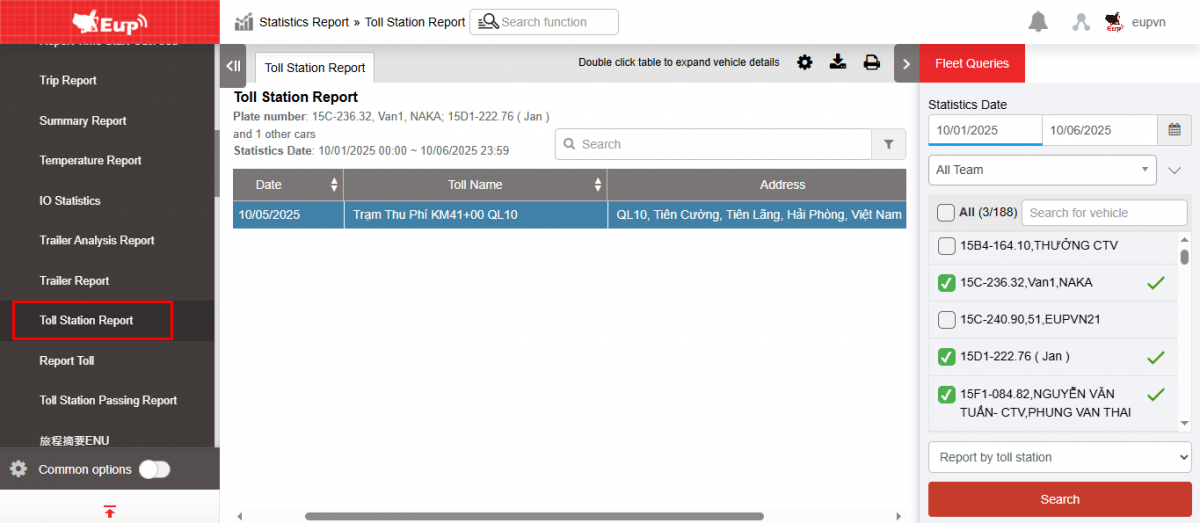
- The function display screen consists of 2 parts:
1. The Fleet Queries section allows users to select information about time and vehicles for statistical reporting;
2. The Toll Station Report section allows displaying statistics on the number of times the toll station enters and exits.
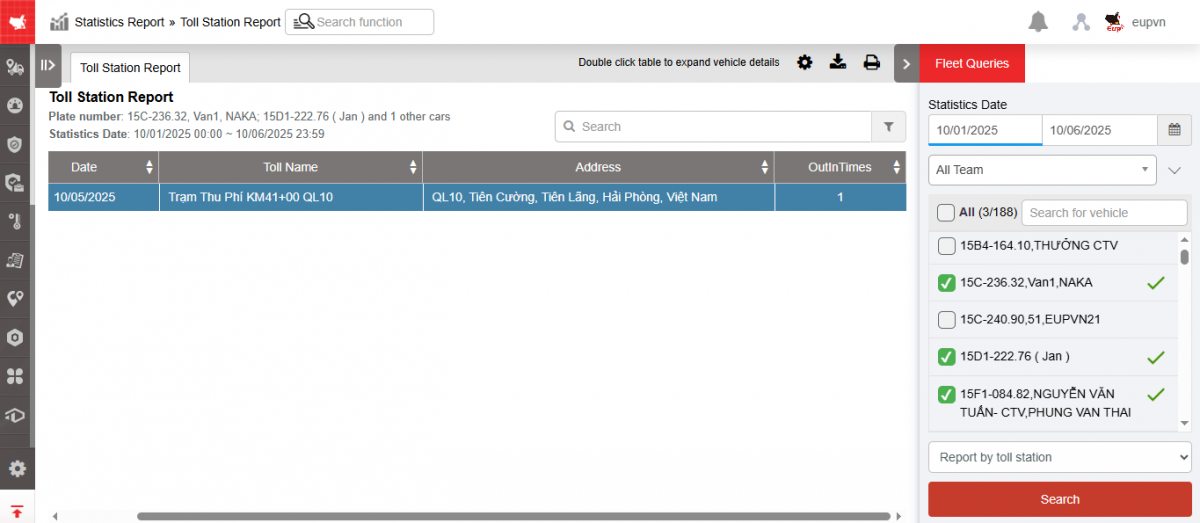
+ Fleet queries section : allows users to set up search information as follows:
-
From : Select the first date and time that the user wants to see
-
To : Select the last date and time that the user wants to see
-
Fleet: Default to the entire fleet and allows selecting other fleets in the system
-
Vehicles: Allows selection of one, multiple or all vehicles using checkbox
-
Report Type: Allows selection of one of two types:
-
Report by toll station
-
Report by car
-
-
Click Search to display results
+ The Toll Station Report section displays the toll station report with the following information:
-
Date: Date the vehicle enters and exits the toll station
-
Toll name
-
Address: Toll station address
-
Out in time: Statistics of the number of times vehicles pass through the toll station per day
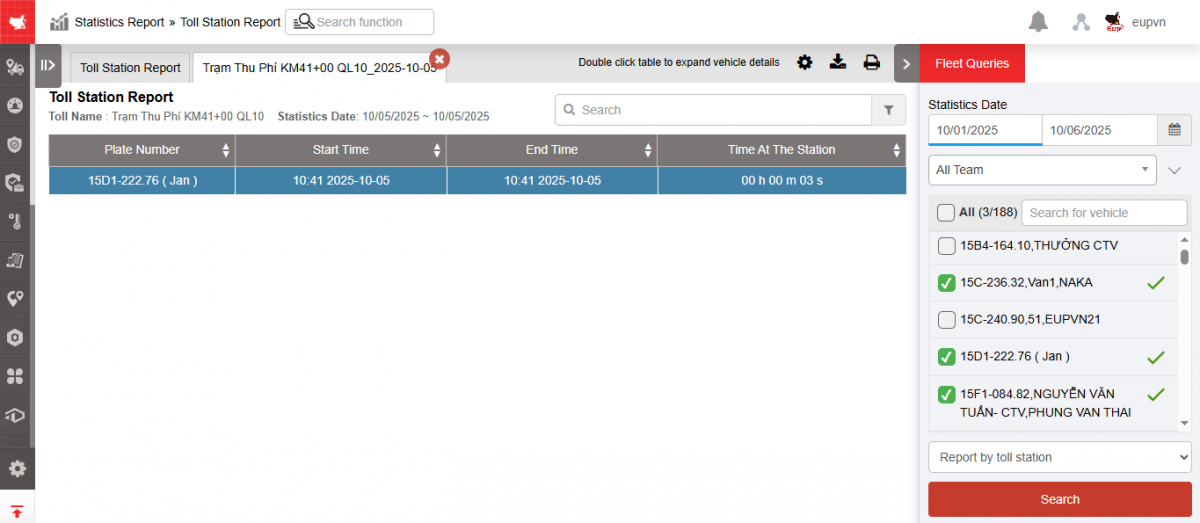
* Douple click to the line to view the details:
+ Select the icon  to print the report
+ Select the icon  to download the report in excel format
+ Select icons  to customize display columns, customize license plates on reports and set up printing signatures
- Log in to post comments
- Tiếng Việt
- 繁體中文